Templates
27 starting points — 16 free and general-purpose, 11 Industry Pack templates that require Pro — every one fully editable in the builder.
Starting from a template
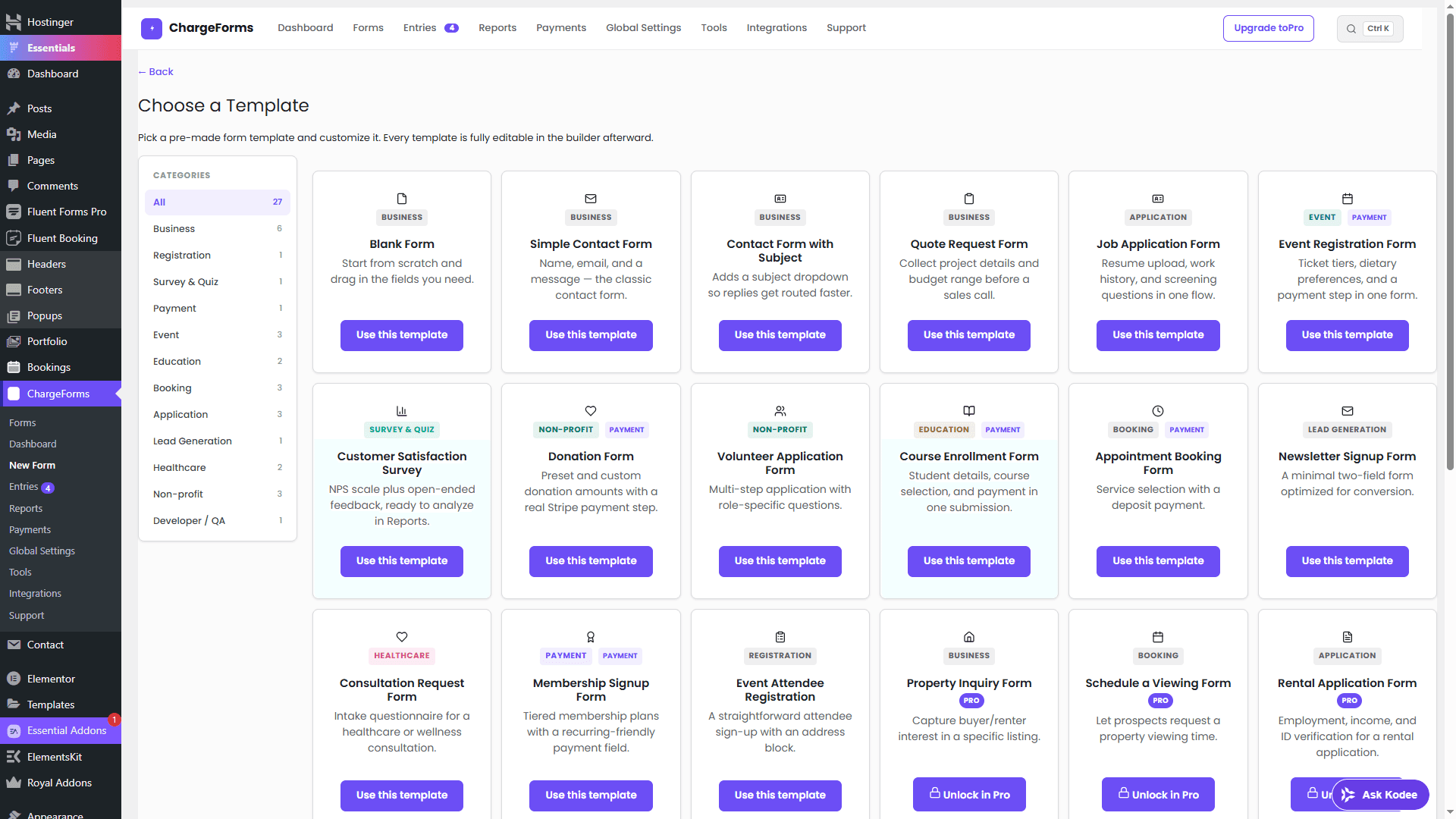
Go to ChargeForms → New Form and pick from 27 templates, filterable by category, instead of starting from a blank canvas. Every template opens directly in the builder, fully editable — nothing about starting from a template locks its fields afterward.
Free vs. Industry Pack
16 templates are free and general-purpose — Business, Registration, Survey & Quiz, Payment, Event, Education, Booking, Application, Lead Generation, and Developer/QA categories.
11 templates are Industry Pack templates, which require a Pro license — curated sets for Real Estate, Healthcare, Education, Legal, Restaurant, Events, and Non-profit use cases with more specific, pre-built field sets than the general-purpose templates cover.
A template's card shows its Pro status before you pick it — there's no picking a template only to discover a paywall partway through building it.
After you start
Every field in a template is editable in the builder the same as if you'd built the form from scratch — add, remove, or reorder fields, change conditional logic, or restyle it entirely. A template is a starting point, not a locked configuration.