Bookings (Add-on)
Turn any form into a real appointment scheduler with live availability, via the ChargeForms Bookings add-on.
What it is
ChargeForms Bookings is a separate add-on plugin, requiring ChargeForms core 0.191.0 or later to run. It adds a Booking Calendar field type that reserves a real, available time slot — not just a date a visitor types in — with atomic slot reservation so two visitors can never book the same time.
Setting it up
- Install
chargeforms-bookings.zip(Plugins → Add New → Upload). If your ChargeForms core version is too old, Bookings stays inert and tells you exactly why, rather than half-working silently. - ChargeForms → Bookings Licence — enter your key and save. Until this is done, the Booking Calendar field stays locked in the builder and submissions using it are refused.
- ChargeForms → Bookings — use the "Set up availability for" dropdown to pick a form, then configure slot length, buffer time, bookings per slot, minimum notice, how far ahead visitors can book, and your working hours per weekday. Add date overrides for holidays.
- Open that form in the builder and drag in Booking Calendar from Advanced Fields, then publish.
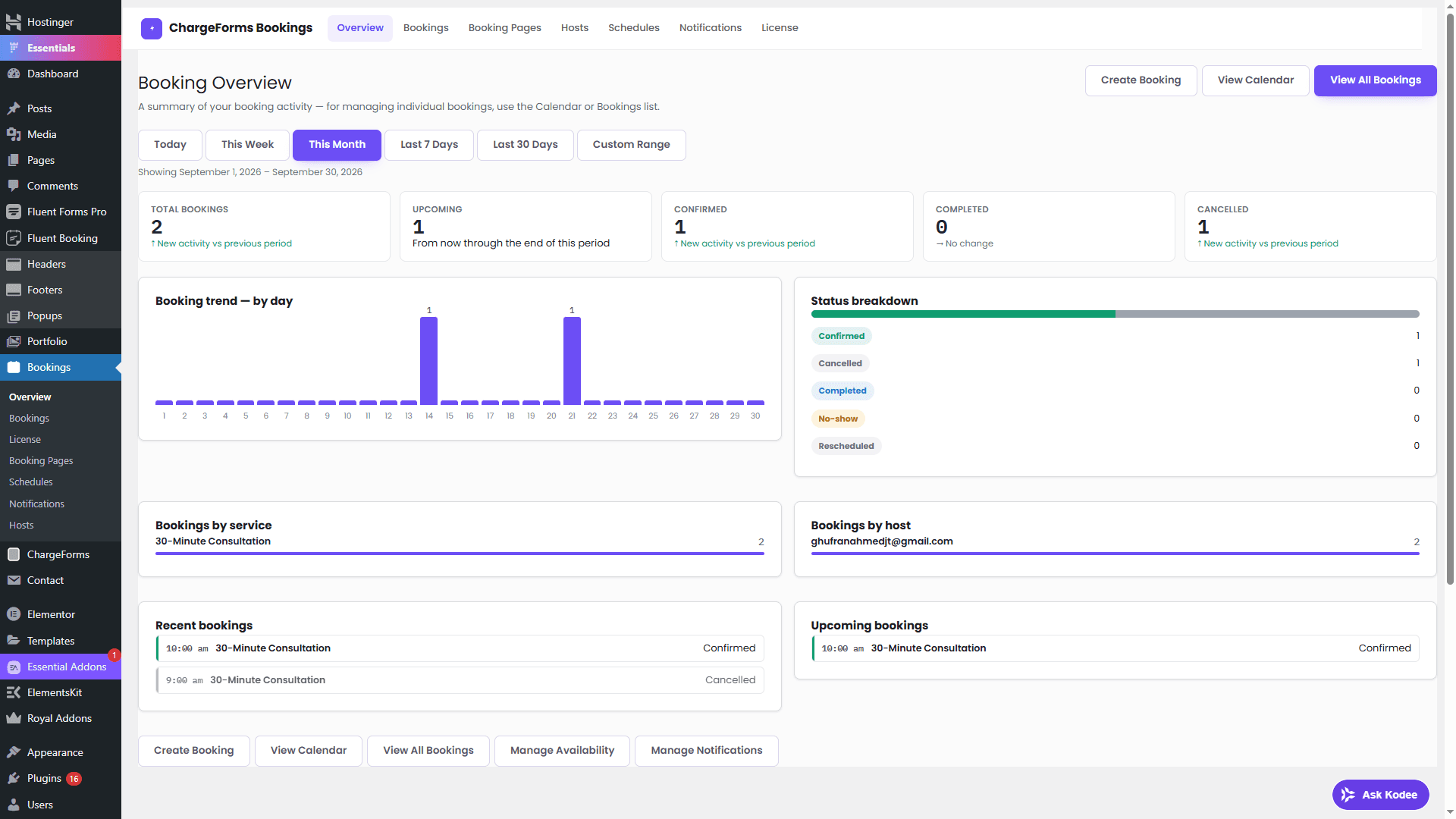
Managing bookings
Every booking lands under ChargeForms → Bookings in a day/week view, not just a flat table — a business built around appointments needs to see gaps and conflicts at a glance, not scroll a list.
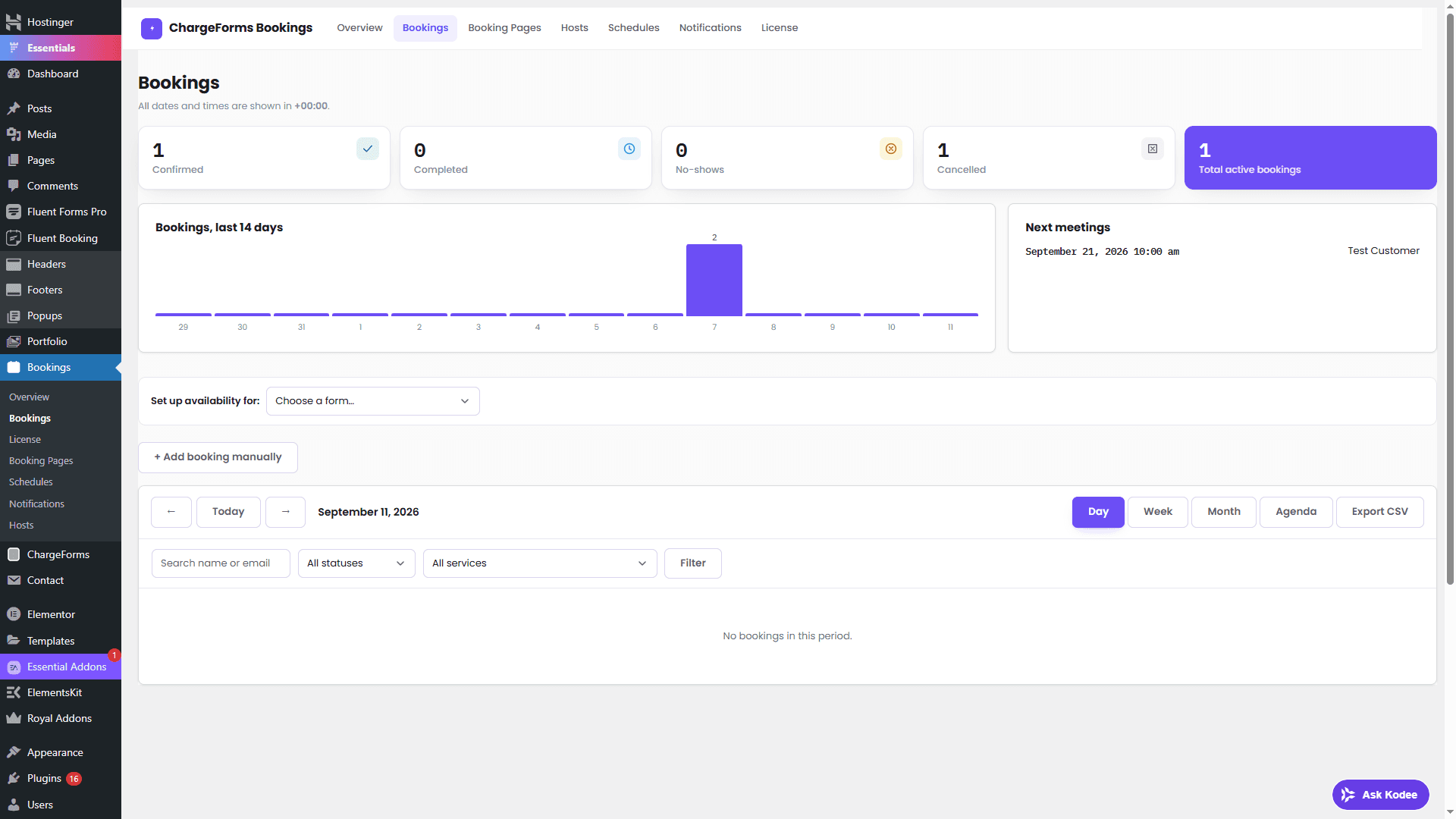
From here you can mark a booking Complete, No-show, or Cancel it — cancelling immediately frees the slot back to availability and emails the customer.
Rescheduling
Cancel-and-rebook is the current path. True atomic rescheduling (moving an existing booking to a new time as a single all-or-nothing operation) is deferred — doing it unsafely risks a customer ending up with either two bookings or none if the release and the new reservation don't both succeed together, so it's intentionally not shipped until it's built that way.
Timezones and email
Times are stored and displayed in your site's configured timezone. Confirmation and reminder emails route through whatever SMTP connection is set up under Email Delivery — Bookings doesn't need a separate email configuration of its own.