Notifications & Confirmations
Route email notifications by a field's answer, and show a different confirmation depending on what was submitted.
Email notifications
Form Settings → Email Notifications: add as many notifications as you need per form, each independently enabled or disabled, with its own:
- Recipient — a fixed address, or a form field (send to whatever email the visitor typed in).
- Subject and rich-text (HTML) message, using merge tags like
{form_title},{admin_email},{all_data},{field.ID}, plus payment-specific tags ({payment_amount},{payment_date},{payment_gateway},{transaction_id}) when the form has a payment field. - Cc/Bcc, and file attachments — including an opt-in to attach the visitor's own uploaded files.
Configure Routing
Send a notification to a different recipient depending on which option a visitor picked in a Dropdown, Radio, or Multiple Choice field — with a fallback address for anything that doesn't match a configured route.
Per-notification conditional logic
Each notification can carry its own condition, independent of the form's other notifications and independent of any field-level conditional logic elsewhere on the form — so one notification can fire only when a specific answer was given, while others still send regardless.
Confirmations
Form Settings → Confirmation Settings: the default behavior after submission is either a message or a redirect, plus:
- Conditional Confirmations — up to 5 alternate confirmations, each gated by its own condition and evaluated in order; the first match wins.
- Query-string passing — an opt-in setting to pass submitted field values through to a redirect confirmation's URL.
- Landing Page — the same screen also generates a standalone, public URL for the form on its own, with no theme wrapper — useful for a bio link, an ad, or an email campaign.
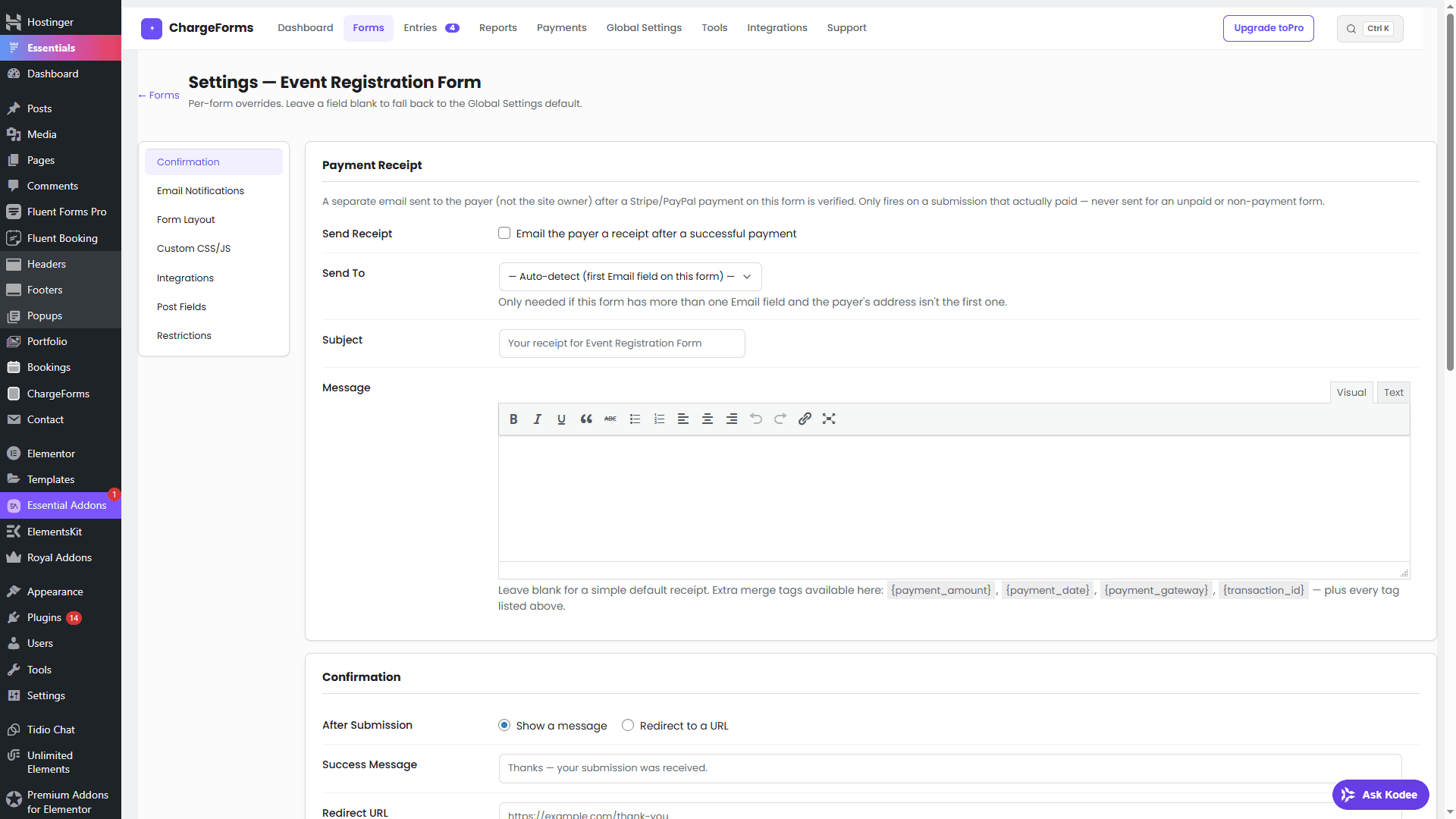
Payment Receipt (payment forms only)
A separate email, off by default, sent to the payer (not the site owner) once a payment is verified — configured under the same Form Settings screen. It only fires on a submission that actually paid, never for an unpaid or non-payment form. See Payments for how a payment gets verified before this email sends.