Migrating from another form plugin
Real, field-mapped import from Fluent Forms, Contact Form 7, WPForms, and Ninja Forms — rebuild your existing forms without starting over.
Where to find it
ChargeForms → Tools → Migrator detects other form plugins installed on your site and, for supported sources, offers a real import — not just a "coming soon" placeholder.
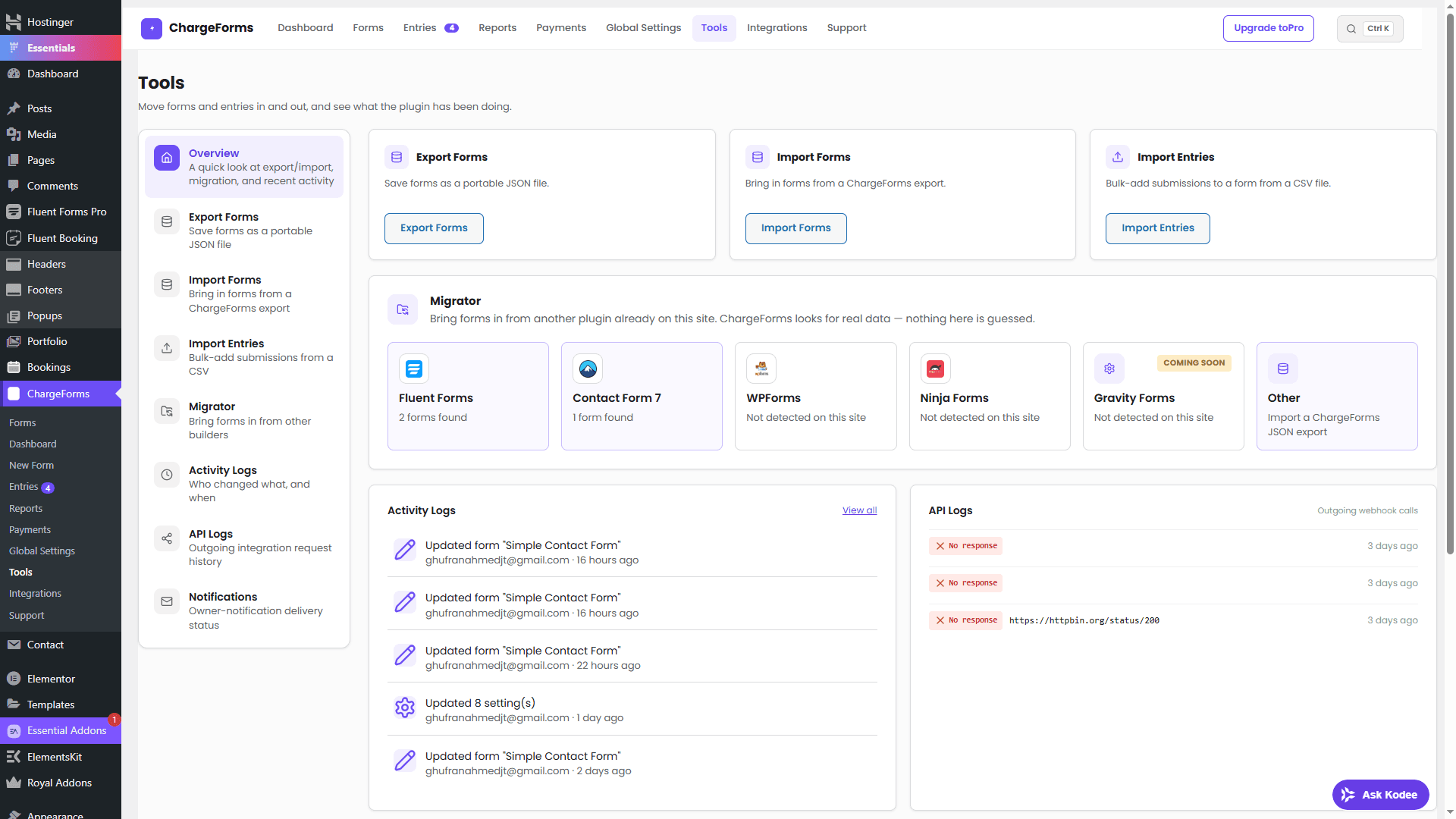
Supported sources
| Source | Import |
|---|---|
| Fluent Forms | Real, field-mapped |
| Contact Form 7 | Real, field-mapped |
| WPForms | Real, field-mapped |
| Ninja Forms | Real, field-mapped |
| Gravity Forms | Detection only — see below |
Each mapping was built by reading that plugin's actual source (its table or post schema, its field type slugs), not guessed — and the WPForms, Ninja Forms, and Contact Form 7 paths were verified against a real installed copy of each plugin.
Why Gravity Forms is detection-only: it's a commercial plugin with no free download to verify a field-mapping against. Rather than guess at its schema blind and risk silently mis-mapping your forms, that source honestly stays "Coming Soon" until it can be built and verified properly.
What happens to a field type ChargeForms doesn't have
Every import is best-effort: an unrecognized field type is never dropped. It lands as a plain Simple Text field with its original label preserved, so no submitted-data shape is lost even when the visual field type doesn't have a direct ChargeForms equivalent.
Entries, not just form structure
Tools also has a separate Import Entries flow (CSV) for bringing submission data across, independent of migrating the form structure itself — see the Entries doc.