Email Delivery (SMTP)
Connect a real SMTP provider so notification emails actually reach the inbox, with delivery logging and automatic retry.
Why this exists
By default, WordPress sends email through the server's own mail()
function, which a lot of hosts either block outright or deliver
inconsistently — notification emails silently landing in spam, or never
arriving at all, is one of the most common (and hardest to notice)
failure modes for any WordPress form plugin. ChargeForms → Global
Settings → Email Delivery connects a real SMTP provider so every
notification, confirmation, and double opt-in email actually goes out
through infrastructure built for deliverability instead of your host's
default mail setup.
Connecting a provider
Supported out of the box: Gmail, Microsoft 365, Amazon SES, SendGrid, Mailgun, Brevo, Postmark, Zoho, or any custom SMTP server. Add your provider's credentials, then send a real test email from the same screen before relying on it — confirming delivery actually works is the whole point, not just that the settings saved without an error.
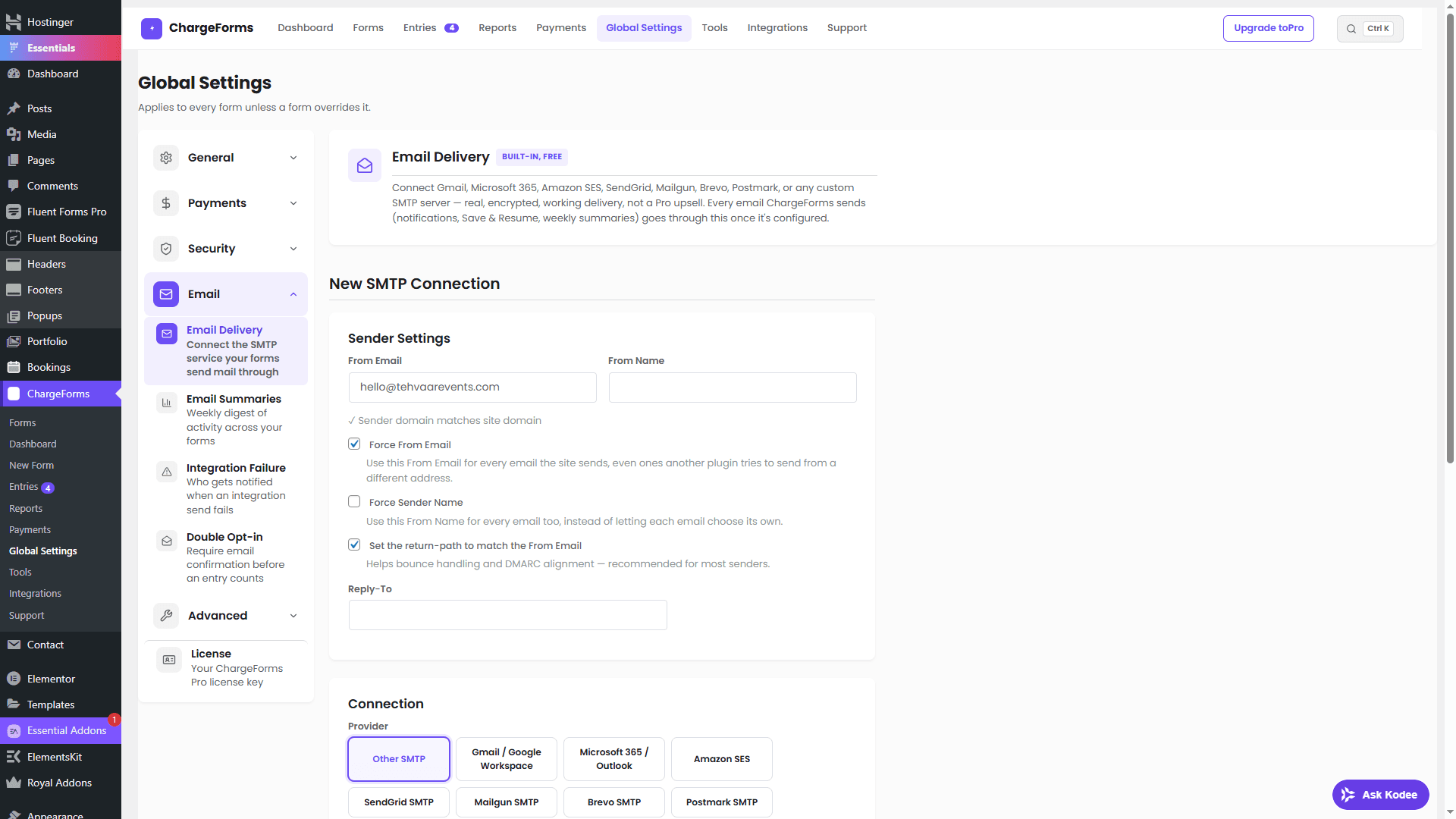
Credentials are stored encrypted, not in plain text alongside the rest of a form's settings.
Delivery logging
Every send attempt is logged — not just "sent," but the actual delivery outcome, so a bounced or rejected email is something you can see and act on rather than a submission that silently never reached anyone. A failed delivery is retried automatically rather than treated as a one-shot attempt that either works or is lost.
Free vs. paid
One SMTP connection is included on the free plan — enough for most single-site setups. Paid plans support multiple SMTP connections, useful if different forms need to send through different providers or sender identities (a support form sending through one address, a sales form through another).
Where this fits with notifications
Email Delivery is the transport layer — it doesn't change what gets sent, only how reliably it's delivered. See Payments and the webhooks documentation for what triggers a notification in the first place; this page is specifically about making sure it arrives.