Best Free WordPress Form Plugins (2026 Comparison)
Every major WordPress form plugin advertises a free tier. What that word actually buys you varies more than any pricing page admits, and the gap between "technically free" and "usable for what you actually need" is where most people get surprised after they've already built half a form. This is a direct, sourced comparison of six plugins' real free tiers -- not a feature-list copy-paste from their own marketing pages, but what's actually confirmed on their pricing pages, plugin listings, and documentation, cross-checked against each other where they disagree.
What "free" usually means in this category
Most of the major form plugins follow the same shape: a base plugin listed on WordPress.org, free to install with no time limit, paired with a paid upgrade that unlocks the features that turn a form builder from "basic contact form" into something genuinely useful for a business. Three features show up as the most common paywall across the category: conditional logic (showing or hiding fields based on earlier answers), payment processing (Stripe, PayPal, and similar), and file uploads. A few plugins also gate multi-step forms behind a paid tier.
Where plugins differ isn't really whether they have a free tier -- most do -- it's which of those four features actually make it into that free tier, and whether the ones that do come with a markup fee tacked onto every transaction.
Why the payment fee matters more than it looks
A platform fee buried in a pricing FAQ reads like a rounding error until you actually run the math against real transaction volume. Take a site processing $3,000/month in form payments -- a modest volume for a small services business or an event-ticketing page:
- At ChargeForms' $0 platform fee, that's $0 in markup, every month, regardless of plan.
- At Fluent Forms' 1.9% fee, that's $57/month -- $684/year -- on top of whatever Stripe itself already charges.
- At WPForms' 3% fee, that's $90/month -- $1,080/year.
- At Formidable's fee (removed only at the $399/year Business tier), paying the fee below Business, or paying $399/year to remove it, are both real costs to weigh against the alternative.
None of these fees are hidden exactly -- they're usually disclosed in a help doc or FAQ -- but they're easy to miss while comparing feature checklists, and they compound with volume in a way a one-time plugin price doesn't. If payments are even a secondary use case for the form you're building, this is worth calculating before committing to a plugin, not after the first month's statement.
The full pricing picture
Gravity Forms is the outlier here -- the only plugin in this comparison with no free option whatsoever. Every other plugin listed does have a real, indefinitely-usable free tier. The question that actually matters is what's inside it.
Free-tier feature matrix
A clear pattern: conditional logic free is actually common -- ChargeForms and Fluent Forms both include it. Payments without a markup fee is the rarer thing. Most plugins that do include free-tier payments quietly add a percentage on top of whatever Stripe or PayPal already charges, which is easy to miss until you're looking at a transaction statement.
Fluent Forms
Fluent Forms' free plan is genuinely more generous than most of the category: conditional logic, a large field library, and basic multi-step forms are all included with no paywall. The catch is the payment side -- free-tier Stripe payments carry a 1.9% platform fee on top of Stripe's own processing rate. Fine at low transaction volume, a real recurring cost once a site is actually moving money through its forms regularly.

Who Fluent Forms' free tier actually fits: sites that need real conditional logic but process low or occasional payment volume, where a 1.9% fee stays a rounding error rather than a real line item. It's a weaker fit the moment payments become a primary function of the form rather than an occasional one -- at that point the fee starts showing up as a real monthly cost rather than something you can ignore.
See the full ChargeForms vs. Fluent Forms and Fluent Forms vs. WPForms comparisons for the deeper breakdown, or best Fluent Forms alternatives if the fee specifically is the sticking point.
WPForms
WPForms Lite is the most restrictive free tier in this comparison. No conditional logic, no file uploads, and a single-site license even on the free plan -- more limited than Ninja Forms or Formidable on the site-count front. It does include Stripe and PayPal, but WPForms adds its own 3% fee on top of Stripe's processing rate on Lite and Basic plans specifically, the highest markup of any plugin covered here.
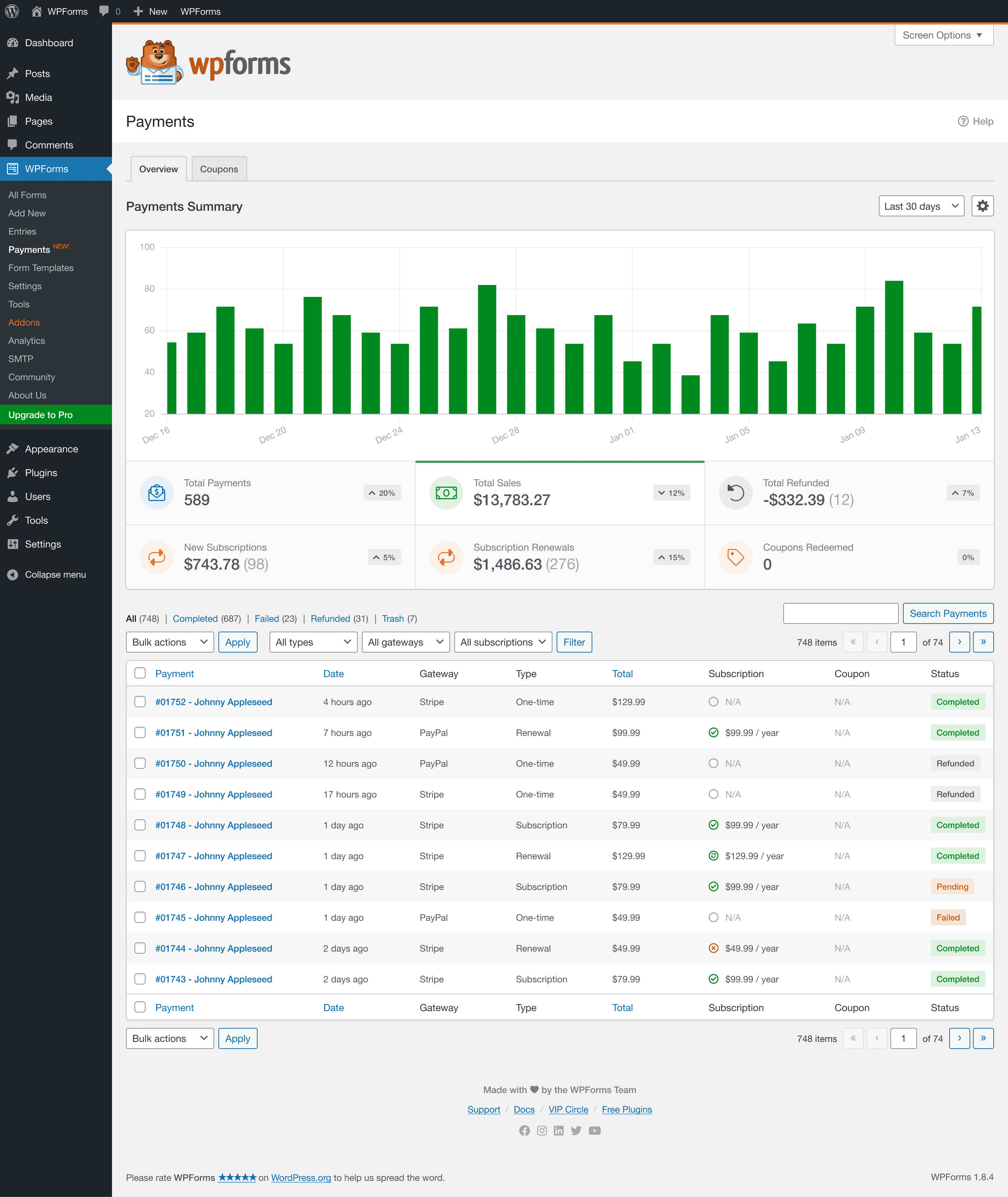
Who WPForms Lite actually fits: genuine beginners building a single, simple contact form on one site, who value WPForms' large template library and documentation over deeper free-tier features and aren't planning to collect payments through the form at any meaningful volume. It's a weaker fit for anyone who already knows they need conditional logic or multi-site coverage, since Lite offers neither.
Full breakdown at ChargeForms vs. WPForms and best WPForms alternatives.
Gravity Forms
Gravity Forms has no free tier at all -- every install requires a paid license starting at Basic, $59/year for one site. And Basic itself doesn't include payment processing: Stripe and PayPal require Pro ($159/year) or above, so the real entry price for anyone who needs to collect a payment is $159/year, not the $59 headline number. Elite ($259/year) adds unlimited sites.
What Gravity Forms does offer in exchange for skipping the free tier entirely is the most mature developer ecosystem in the category -- the largest third-party add-on marketplace and the deepest documentation, a real advantage for complex, highly customized forms once you're paying either way.
Who Gravity Forms actually fits: developers and agencies building complex, highly customized forms who were always going to pay for a form plugin regardless, and who value the add-on ecosystem and documentation depth more than a zero-dollar starting point. It's simply not a candidate for anyone whose requirement is "free," full stop -- there's no tier, promotion, or workaround that changes that.
See Gravity Forms pricing for the full tier breakdown, ChargeForms vs. Gravity Forms, or best Gravity Forms alternatives if the no-free-tier structure is the dealbreaker.
Ninja Forms
Ninja Forms Core, the free version, is unusual in one specific way: it allows unlimited site installs on the free tier, more generous than WPForms or ChargeForms on that one dimension. But Core is a deliberately minimal base -- conditional logic, payments, file uploads, and multi-step forms are all outside it, sold as individual add-ons or bundled into paid plans (Plus $99/year for 3 sites, Pro $199/year for 20 sites, Elite $499/year unlimited).
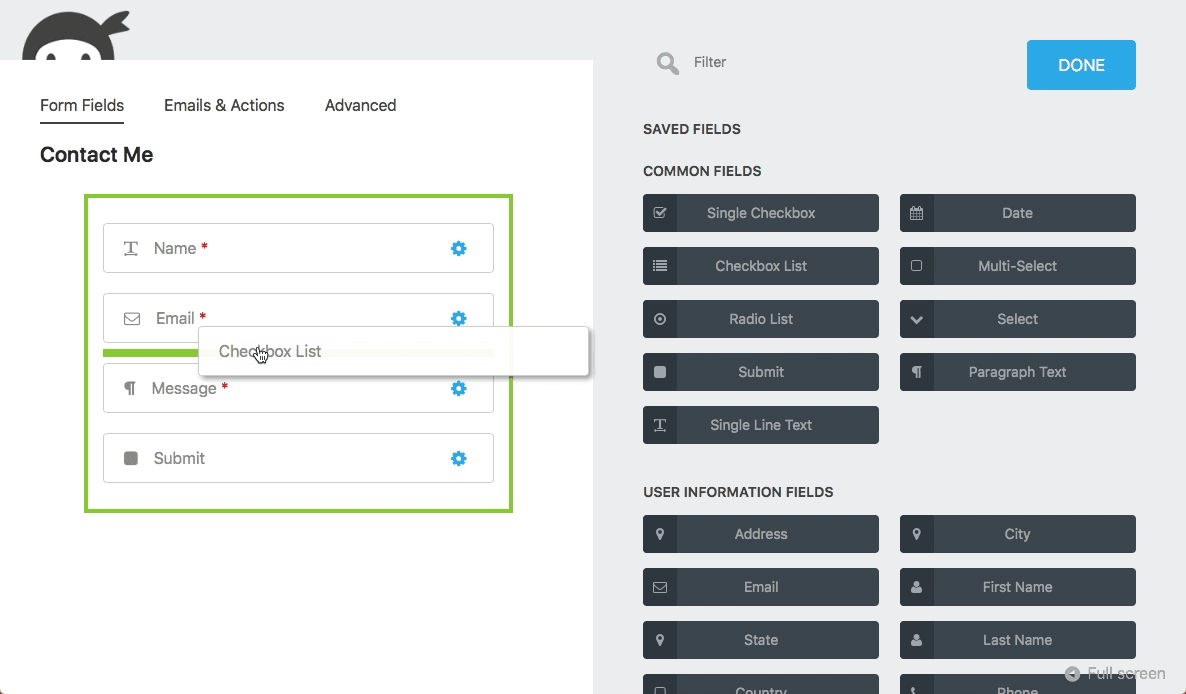
Who Ninja Forms Core actually fits: agencies deploying a simple, uniform contact form across many small client sites, where none of the gated features -- conditional logic, payments, file uploads -- are needed on any of them. The unlimited-install allowance is a genuine advantage for exactly that scenario. It stops making sense the moment any client site needs one of those four gated features, at which point you're either buying add-ons piecemeal or upgrading to a full plan tier.
Full review at is Ninja Forms really free?.
Formidable Forms
Formidable Forms Lite includes unlimited forms and basic Stripe/PayPal payment forms free -- more than Ninja Forms offers on payments specifically. But a transaction fee applies on those free-tier payments until you reach the Business tier, $399/year, a notably higher bar than any other plugin in this comparison requires to remove its fee. Conditional logic and multi-step forms are both Pro-only, not included in Lite at all.
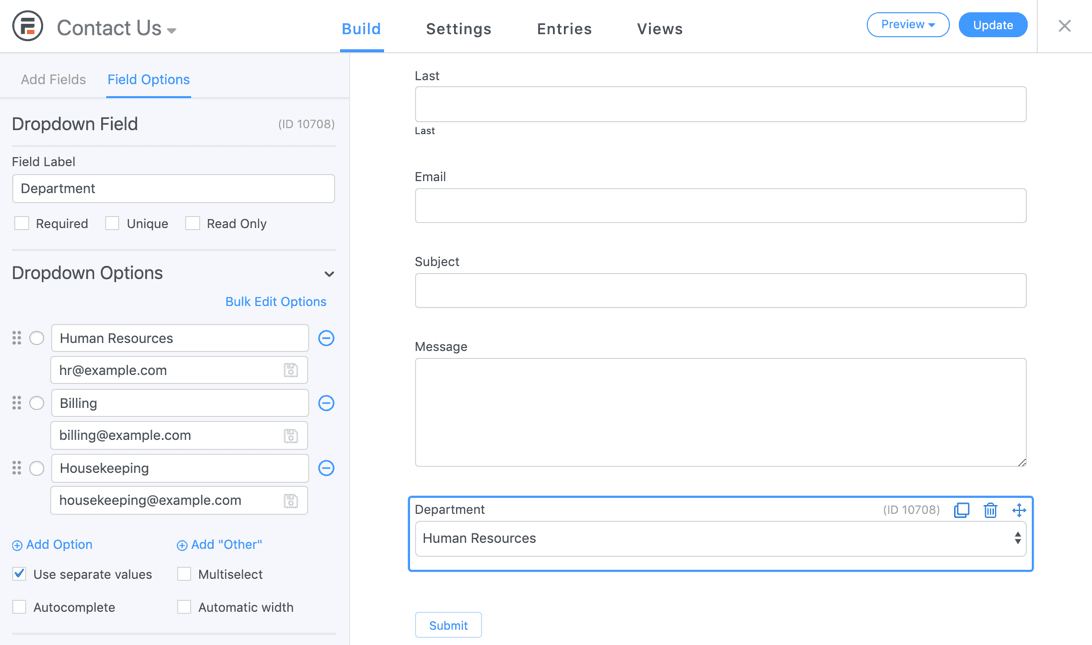
Who Formidable Lite actually fits: sites that want its front-end Views feature eventually and are comfortable treating Lite as a trial of the paid product rather than a complete standalone tool -- conditional logic and multi-step forms both require at least the $79/year Basic plan, so Lite alone suits only the simplest contact-form use case.
Full review at is Formidable Forms really free?, or Gravity Forms vs. Formidable Forms if you're weighing it against the other developer-focused option.
ChargeForms
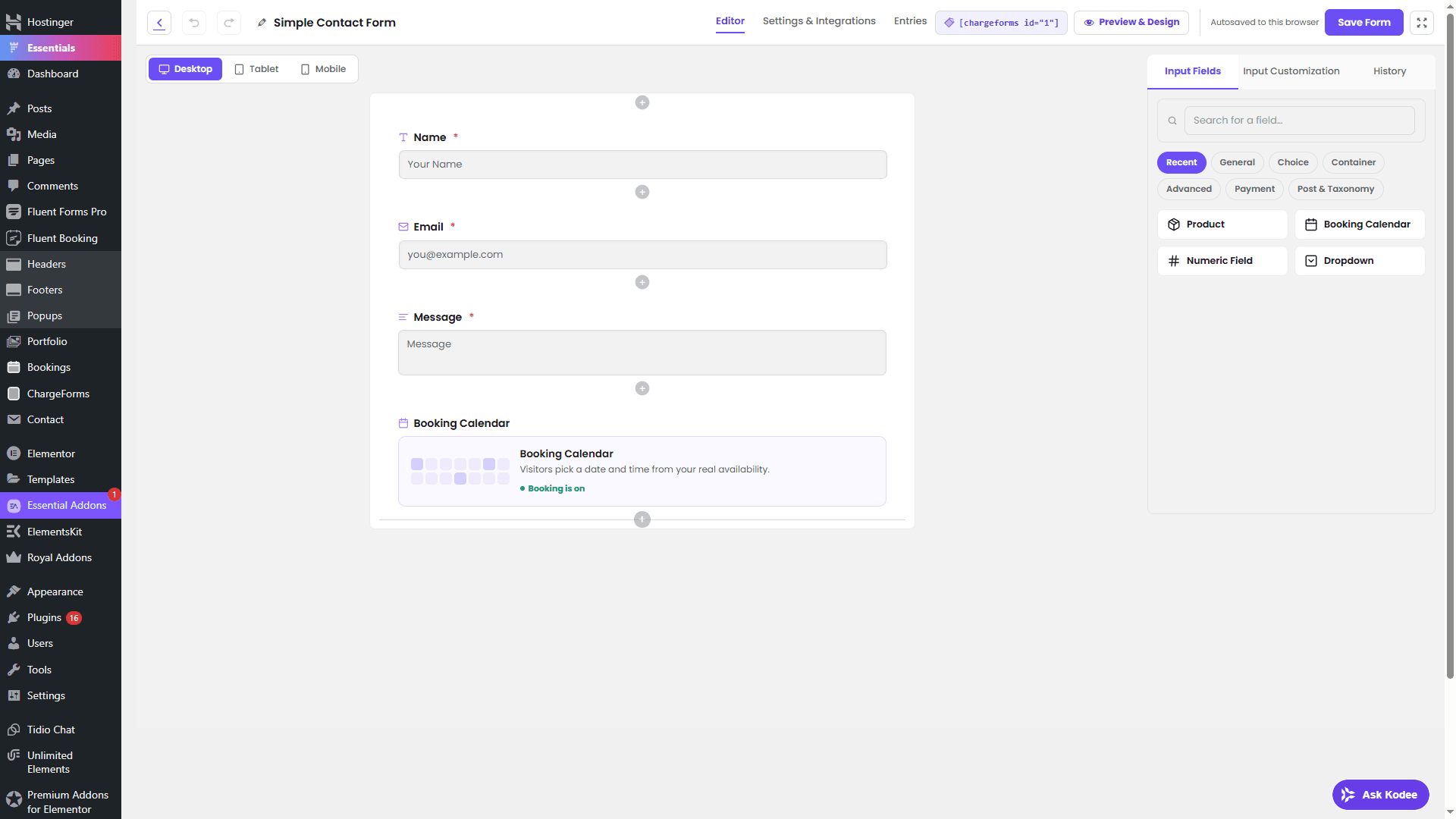
ChargeForms' free plan includes conditional logic, Stripe and PayPal payments with a genuine $0 platform fee, file uploads, multi-step forms, and entry management -- the full feature set, not a stripped-down preview of it. There's no submission cap and no time limit. Paid plans ($69/year Single Site, $139/year Agency for 5 sites, $259/year Unlimited) only raise how many sites one license can activate on; they don't unlock any feature the free plan is missing.
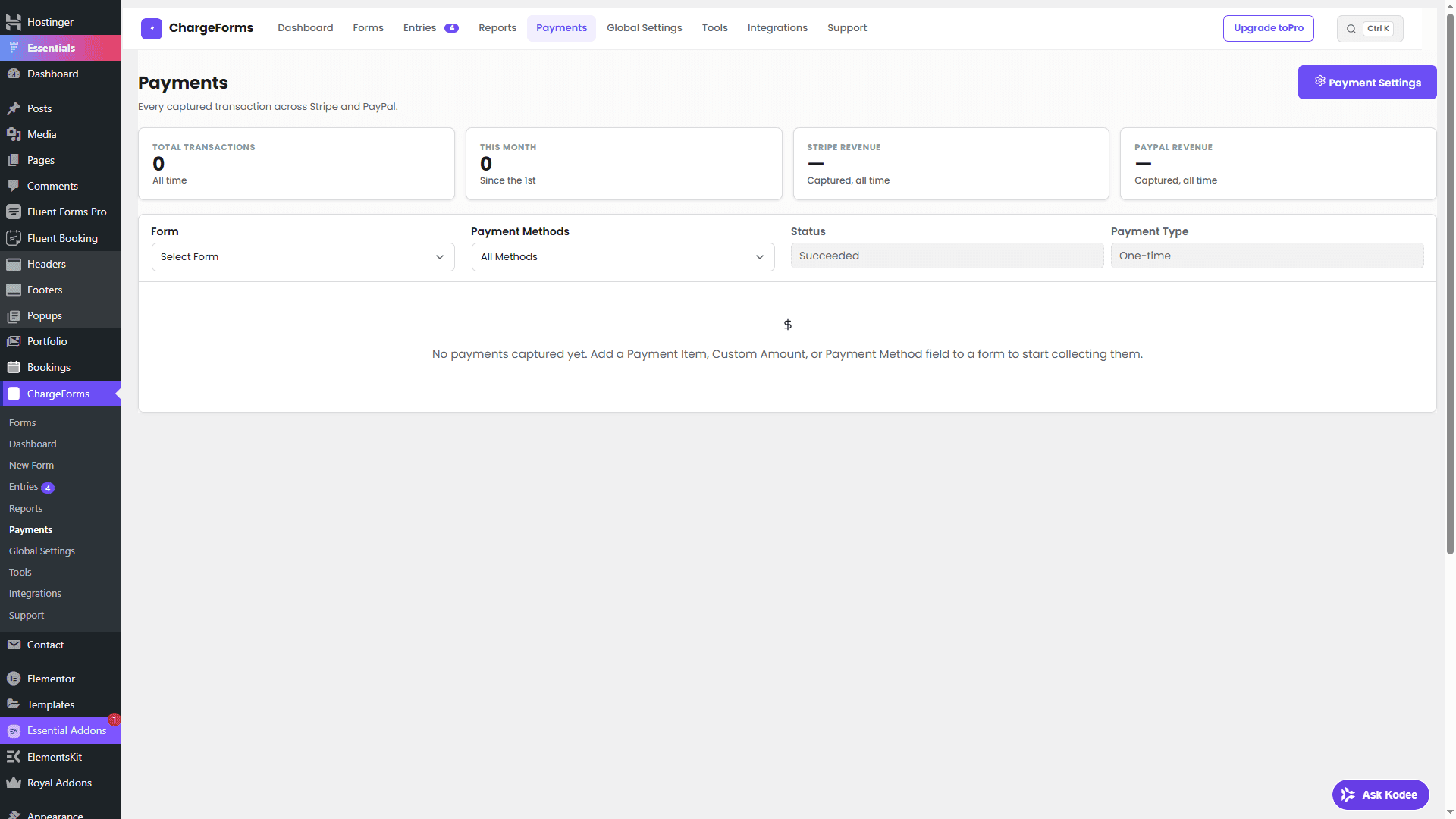
See pricing for the full plan comparison, or conditional logic and payments in the docs for what's actually configurable on the free plan specifically.
Spam protection on free tiers
Spam protection is worth a separate mention, since it's often left off feature-comparison tables entirely despite being something every public-facing form needs from day one. Basic honeypot-style spam filtering is standard across free tiers in this category -- none of the six plugins here ship with zero spam defense on their free plan. Where they diverge is advanced filtering (behavioral analysis, more aggressive bot detection beyond a honeypot field): this tends to sit behind the same paid tiers that gate conditional logic and payments, Ninja Forms' "advanced spam filtering" add-on being the most explicit example of this pattern. Given how much AI-driven form spam has grown as a category-wide problem recently, it's worth checking a plugin's current spam-protection documentation directly rather than assuming free-tier coverage is adequate for a high-traffic public form -- see the biggest WordPress form problems in 2026 for the broader picture on this.
Common free-tier gotchas nobody mentions upfront
A few details that don't show up on any pricing page's headline comparison, but that matter once a form is actually live:
- Site-count limits change the calculation for agencies. A plugin's free tier might include everything you need feature-wise, but if it's single-site (WPForms, ChargeForms, Formidable on paid tiers) and you're deploying across a dozen client sites, the real cost is the paid multi-site tier, not the single-site sticker price advertised as "free."
- "Free" sometimes means "free trial of Pro," not "permanently usable base tier." Formidable Lite and WPForms Lite both function more like a taste of the paid product than a complete tool on their own -- worth knowing going in rather than discovering it once conditional logic turns out to be a Pro-only feature.
- Entry storage and export policies vary. Most of these plugins store submissions in custom database tables and support CSV export natively, but double-check this specifically if historical entry data matters -- it's a bigger problem to discover a gap here after switching plugins than before.
- Add-on version compatibility is a real (if occasional) issue for Ninja Forms specifically, since its functionality is split across many separately versioned add-ons rather than one monolithic plugin -- less common with actively maintained official add-ons, more common with third-party or older ones.
- Fee structures can change. Platform fees on free-tier payments (Fluent Forms' 1.9%, WPForms' 3%, Formidable's fee-until-Business) are current as of this review, but plugins do adjust pricing over time -- always confirm the current fee on the plugin's own documentation before building a payment-dependent form around it.
Migrating between these plugins
None of the plugins in this comparison share a common entry database format, so there's no native one-click migration from one to another -- switching means rebuilding the form itself in the new plugin's builder, which for a simple form (a handful of fields, no complex branching) is usually faster than attempting to script a structural migration. For forms with substantial conditional logic already configured, budget real time for the rebuild rather than assuming it's a quick copy-paste job.
If historical submissions matter, export existing entries to CSV before deactivating the old plugin -- most of these plugins, Ninja Forms and Formidable included, support this natively from their entries screen, and doing it after deactivation can make the entries screen inaccessible depending on how the old plugin structures its admin pages. ChargeForms also includes a built-in Migrator that detects commonly-installed competitors and does a field-mapped import rather than a manual rebuild -- see how to migrate to ChargeForms for exactly what it does and doesn't handle.
Full pricing table
| Plugin | Free tier | Conditional logic free? | Payments free? | Cheapest paid tier |
|---|---|---|---|---|
| ChargeForms | Yes, unlimited forms | Yes | Yes, $0 fee | $69/yr (1 site) |
| Fluent Forms | Yes, unlimited forms | Yes | Yes, 1.9% fee | $79/yr (1 site) |
| WPForms | Yes ("Lite"), 1 site | No | Yes, 3% fee | $99/yr (Basic) |
| Gravity Forms | None | N/A | N/A | $59/yr (Basic, no payments) |
| Ninja Forms | Yes ("Core"), unlimited sites | No | No | $99/yr (Plus, 3 sites) |
| Formidable Forms | Yes ("Lite"), 1 site | No | Yes, fee until Business | $79/yr (Basic) |
How to actually decide
Don't stop at comparing feature-list checkmarks -- try building the specific form you actually need on each plugin's free plan before paying for anything. A few questions that cut through most of the decision quickly:
- Do you need conditional logic at all? If not, most of these free tiers are roughly equivalent for a simple contact form, and the decision comes down to site-count limits (Ninja Forms Core and Formidable Lite both allow unlimited sites free; WPForms and ChargeForms are single-site on the free tier).
- Do you need to collect a payment through the form? If yes, check the fee structure, not just whether payments are "included." A free-tier payment with a 1.9-3% markup fee isn't free at meaningful transaction volume -- run the math against your expected monthly volume before assuming the free tier covers this.
- Is budget genuinely zero, with no room for a future upgrade? Gravity Forms is off the table entirely in that case; the remaining five all have a usable free starting point, with ChargeForms and Fluent Forms the two that include conditional logic without paying anything.
- Are you managing many client sites with simple forms on each? Ninja Forms Core's unlimited-site free tier is a genuine advantage here, assuming none of those sites need conditional logic or payments.
- Do you expect to need the front-end "Views" style entry display feature? Only Formidable Forms (paid tiers) offers this natively among the plugins covered here; everyone else needs a separate plugin for turning entries into a public-facing directory or listing.
- How much payment volume are you actually expecting? Run the fee math from the section above against your realistic monthly volume, not a worst-case guess -- at low volume, a 1.9-3% fee is genuinely a rounding error, and optimizing it away isn't worth switching plugins over. At real volume, it adds up fast enough to be worth the switch.
Run through these in order -- the first one that clearly applies to your situation should settle most of the decision without needing to read every comparison page in this category.
The bottom line
"Free" means genuinely different things depending which plugin you're looking at. Gravity Forms doesn't have a free tier at all. WPForms Lite and Ninja Forms Core are free but deliberately minimal, designed to convert into a paid upgrade the moment you need conditional logic or payments. Fluent Forms and Formidable Forms both include real free functionality, but their free-tier payments carry a markup fee that adds up at volume. ChargeForms is the one plugin in this comparison whose free plan includes the complete feature set -- conditional logic, Stripe and PayPal at $0 platform fee, file uploads, and multi-step forms -- with paid tiers only raising the site-count limit, never unlocking a feature the free plan is missing.
Frequently asked questions
What is the best free WordPress form plugin?
It depends on what you need beyond a basic contact form. If you need conditional logic and payments without paying, ChargeForms and Fluent Forms are the two genuinely complete free options -- ChargeForms includes Stripe/PayPal at $0 platform fee, while Fluent Forms includes conditional logic free but adds a 1.9% fee on payments. WPForms Lite and Ninja Forms Core are more limited on their free tiers, and Gravity Forms has no free tier at all.
Which WordPress form plugins have NO free plan?
Gravity Forms is the one major plugin in this category with zero free tier -- every license starts at a paid Basic plan ($59/year for one site), and even that doesn't include payment processing (Stripe/PayPal require Pro, $159/year).
Do any free WordPress form plugins include payments with no extra fee?
ChargeForms is the only plugin in this comparison whose free plan includes both Stripe and PayPal with a true $0 platform fee. Fluent Forms' free Stripe payments carry a 1.9% platform fee, WPForms Lite adds a 3% fee, Formidable's free payment forms carry a fee until its $399/year Business tier, and Ninja Forms Core doesn't include payments at all without a paid add-on.
Which free WordPress form plugin allows unlimited sites?
Ninja Forms Core and Formidable Forms Lite both allow unlimited site installs on their free tier. WPForms Lite, by contrast, is a single-site license even on its free plan. ChargeForms' free plan is also single-site, with paid tiers raising the site-activation limit rather than unlocking new features.
Related posts