Which WordPress Form Plugins Charge an Extra Stripe Fee? (2026)
If you're accepting payments through a WordPress form, there are two separate costs stacked on top of each other: whatever Stripe (or PayPal) charges you directly, and whatever the form plugin itself adds on top. Most people assume the second number is zero. For two of the most popular WordPress form plugins, it isn't — and it's easy to miss because it's rarely mentioned prominently on the pricing page you compared before installing.
This is a plugin-by-plugin breakdown of exactly which WordPress form plugins add their own fee on top of Stripe's, how much, and what it actually costs over a real month of payments — sourced from each plugin's own published documentation, not estimates or secondhand claims.
What Stripe itself charges (the baseline)
Before any plugin markup, Stripe's own rate for online card payments is 2.9% + $0.30 per successful transaction for domestic US cards. This is charged directly by Stripe, deducted automatically before the rest reaches your bank account, and it's identical no matter which WordPress plugin — or no plugin at all — you use to collect the payment. International cards add roughly another 1.5%, and currency conversion adds about 1% if you're accepting a currency different from your payout currency.
Every number below is in addition to this baseline, not instead of it.
The plugin-by-plugin breakdown
"Free access" = Stripe payments work on the free/lowest tier at all. "Extra fee" = green means no markup beyond Stripe's own rate. Read the detail below — a "no fee" on Gravity/Ninja doesn't mean cheap, it means Stripe isn't available free at all.
Fluent Forms — Stripe is available on the free plan, but Fluent Forms adds its own 1.9% on top of Stripe's rate. That fee is removed once you upgrade to Fluent Forms Pro. PayPal, Mollie, and Razorpay aren't available on free at all, fee or no fee — only Stripe is.
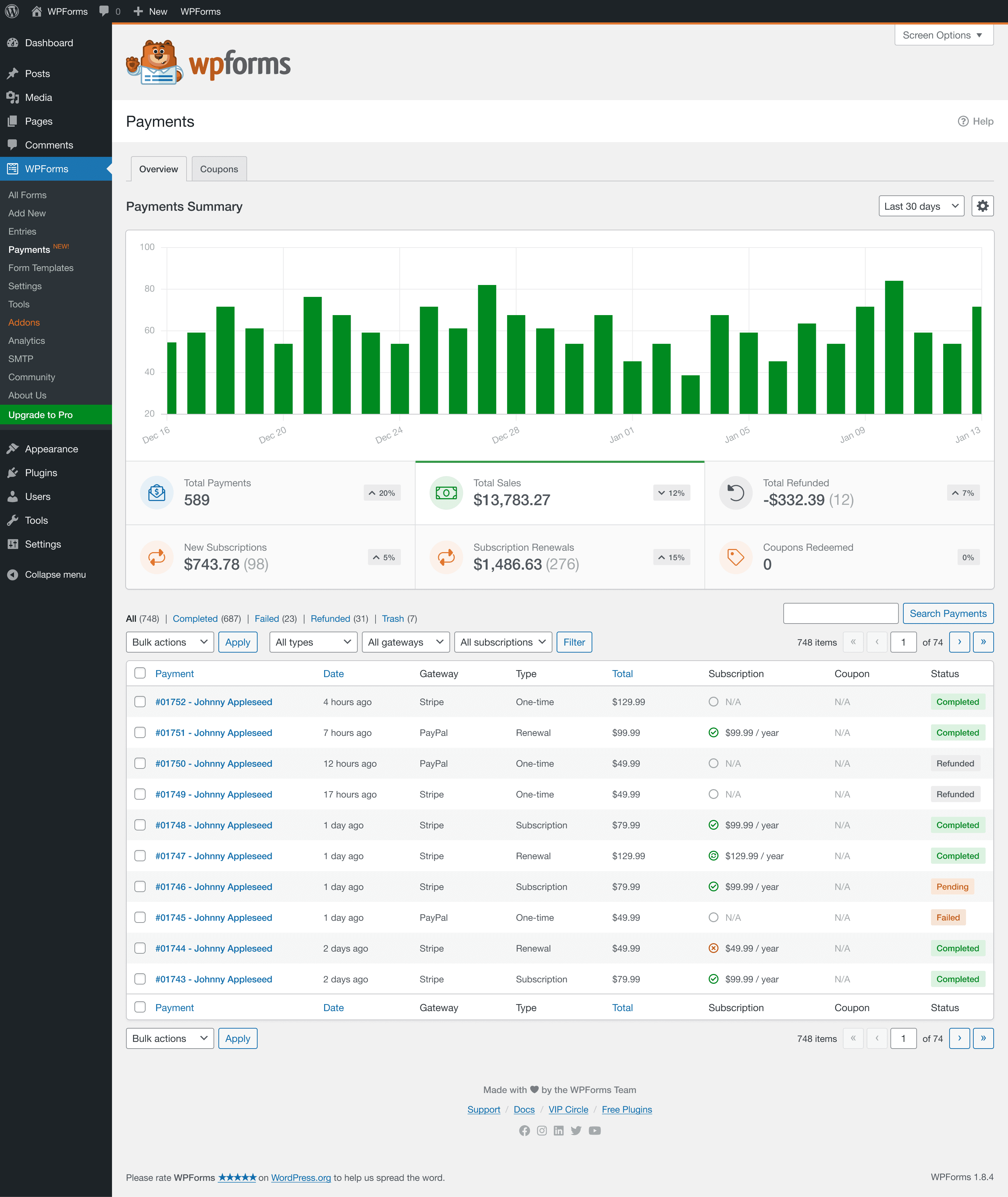
WPForms — Stripe is available on Lite and Basic, but WPForms adds its own 3% on top of Stripe's rate — the highest of any plugin in this comparison. This is documented directly in WPForms' own help docs. Upgrading to WPForms Pro ($199.50/year or higher) removes the fee entirely.
Gravity Forms — No markup on Stripe transactions, but also no free plan at all. The Stripe add-on requires a paid Gravity Forms license (Pro tier and up, roughly $159/year), so "no extra fee" here comes with a mandatory purchase before you can accept a single payment.
Ninja Forms — The free "Core" plugin is a genuinely usable form builder, but Stripe isn't included without a paid add-on or a Plus/Pro/Elite plan. Same shape as Gravity Forms: no markup once you're paying, but no free access to begin with.
ChargeForms — Stripe and PayPal are both included on the free plan, with $0 platform fee. You pay Stripe/PayPal's own standard rates, identical to what you'd pay integrating them directly with no plugin at all.
What this actually costs over a year
The abstract percentage is easy to skim past — the dollar amount at realistic volume is not.
At $2,000/month in card payments ($24,000/year), 1.9% costs $456/year and 3% costs $720/year — on top of Stripe's own processing fees, which every option here pays identically. The Gravity/Ninja "$0" comes with a mandatory paid-plan cost to unlock Stripe at all, not shown here since that's a flat license fee rather than a percentage.
At higher payment volumes the gap widens proportionally — a business processing $10,000/month in card payments would pay roughly $2,280/year in Fluent Forms' markup, or $3,600/year in WPForms', figures that meaningfully exceed the cost of switching plugins entirely.
Subscriptions and recurring payments make the math worse
Everything above assumes a one-time payment. If you're running subscriptions — memberships, recurring donations, retainer billing — a percentage-based plugin fee compounds every billing cycle, not just once. A $50/month subscription that runs for a year isn't a single $600 transaction as far as the fee calculation goes; it's twelve separate $50 charges, each hit with the plugin's percentage on top of Stripe's own per-transaction rate.
At WPForms' 3%, a $50/month subscription costs an extra $1.50 per billing cycle — $18/year per subscriber. That sounds small until you multiply it by subscriber count: 100 active subscribers on that plan means $1,800/year going to the plugin's fee alone, on top of whatever Stripe itself charges each cycle. This is exactly the scenario where checking the fee structure before building matters most — a one-off $500 payment form and a 100-subscriber recurring membership site experience the same percentage very differently in absolute terms.
Refunds and disputes: does the fee come back?
A detail that's easy to miss until it actually happens: if a customer disputes a charge or you issue a refund, whether the plugin's percentage fee is refunded alongside it depends entirely on that plugin's specific terms, and it's not always the same answer as what Stripe does with its own fee. Stripe's own processing fee is non-refundable on a standard refund (you eat the original 2.9% + $0.30 even if you refund the customer in full) — that part is universal and not plugin-specific. Whether a form plugin's additional percentage follows the same non-refundable rule is worth confirming directly in that plugin's documentation before you rely on it, since it directly affects the real cost of handling a return or chargeback.
Working out your own break-even point
The right way to decide whether a fee-based free tier or an upfront paid plan costs less isn't the percentage in isolation — it's your own actual or projected payment volume compared against the paid tier's price that removes the fee.
The rough formula: (your annual card payment volume) × (the plugin's fee percentage) vs. (the annual cost of the paid tier that removes it). If the fee amount is higher, the paid plan is cheaper even before counting any other paid-tier features you'd also gain. If it's lower, staying on the free tier and eating the fee is the cheaper path — for now, worth re-checking as volume grows.
For WPForms specifically: Pro costs $199.50/year and removes the 3% fee entirely. Break-even is $199.50 ÷ 0.03 ≈ $6,650/year in card payment volume — process more than that and Pro is already the cheaper option purely on fee savings, ignoring every other Pro-only feature. For Fluent Forms, Pro's fee removal combined with its own pricing produces a similarly calculable break-even, worth running with that plugin's specific numbers before assuming free is actually the cheaper path at your volume.
Why the free-tier fee works as a business model
This isn't a secret or a trick, exactly — it's a documented, disclosed pricing mechanic, just one that's easy to miss when comparing plugins by feature checklist rather than reading the fine print on payment processing specifically. The logic from the plugin's side is straightforward: a percentage-based fee scales with how much value a customer is actually getting from the payment feature, which is a more sophisticated upsell lever than a flat feature paywall. A store processing $50,000/year in payments has a much stronger incentive to upgrade than one processing $500/year, even though both get the identical feature on the free plan.
It's worth being fair here: this is a legitimate way to structure freemium pricing, and it's disclosed in each plugin's own documentation, not hidden through deception. The issue for a buyer isn't that the fee exists — it's that it's easy to overlook when the marketing comparison you're making is feature-list-to-feature-list ("payments: included ✓") rather than reading the actual payment terms, and a checkbox on a comparison table doesn't distinguish "included, full stop" from "included, plus 3% of everything you ever process."
This is also a fairly common pattern outside WordPress specifically — plenty of SaaS products meter their free tier by a percentage of transaction volume rather than a flat feature limit, precisely because it aligns the upgrade incentive with how much value a customer is actually extracting rather than an arbitrary usage cap. The WordPress form plugin market isn't doing anything unusual here; it's just that "form builder" doesn't intuitively read as "payment processor" to most buyers the way an actual payment platform's pricing page does, so the expectation that payments would be flatly free (the way form-building itself usually is) doesn't get questioned the way it might on a dedicated payments product.
International payments stack on top of everything above
If any of your customers pay with a card issued outside your own country, Stripe's international-card surcharge (roughly an additional 1.5%) applies on top of its base 2.9% + $0.30 — and on Fluent Forms or WPForms' free tiers, the plugin's own percentage still applies on top of that combined rate, not instead of it. A WPForms Lite user accepting an international card is looking at roughly 2.9% + $0.30 + 1.5% + 3% before the money reaches their account — north of 7% total on that specific transaction, even though no single fee in that stack looks dramatic in isolation.
This matters disproportionately for membership sites, online courses, and donation forms with any meaningful international audience, where international-card transactions aren't an edge case but a routine share of volume. Multi-currency acceptance adds Stripe's roughly 1% conversion fee on top of all of that as a fourth layer, for sites accepting payments in a currency different from their payout currency.
Where this is actually disclosed (and why it's easy to miss)
None of the fees covered here are hidden in the sense of being undisclosed — they're documented, just not where a buyer instinctively looks first. The typical path that leads someone to miss this: compare plugins by their marketing pricing page, see "Stripe payments" listed as a checkmark on the free tier for more than one option, treat that checkmark as equivalent across plugins, and never open the payments-specific documentation page where the fee percentage is actually spelled out.
For WPForms specifically, the 3% fee is documented on a dedicated help-doc page titled "Using Stripe With WPForms Lite" — informative, accurate, and not the page anyone reads while doing initial plugin research on the main pricing or features page. The practical lesson isn't that these companies are being deceptive; it's that "payments: free" as a checkbox on a comparison table is doing a lot of unstated work, and the actual terms live one or two clicks deeper than most buyers go before installing.
The fix is simple once you know to do it: before building any payment-collecting form, search that specific plugin's documentation site for "fee," "commission," or "surcharge" alongside "Stripe" or "PayPal," rather than trusting the feature-list checkmark alone.
Does the fee apply to every plan, or just the very bottom tier?
Worth being precise about tier boundaries, since "free plan" and "cheapest paid plan" aren't always the same threshold where a fee gets removed:
- Fluent Forms: the 1.9% fee applies specifically to the free (non-Pro) plan. Any paid Fluent Forms Pro tier removes it.
- WPForms: the 3% fee applies to both the free Lite plan and the entry-level paid Basic plan — it isn't removed until Pro or higher. This is a meaningful distinction: someone who's already paying for WPForms Basic and assumes paying means no fee would be wrong on this specific point.
- Gravity Forms and Ninja Forms: there's no fee-removal threshold to speak of, because there's no fee to begin with — the relevant threshold is just "do I have Stripe access at all," which requires a paid plan/add-on from the first dollar.
Checking exactly which tier removes a fee — not just whether "upgrading" removes it in general — is worth confirming directly, since assuming the cheapest paid tier clears it (as with WPForms Basic) can be a costly mistake.
How to actually check before you commit
Before building a payment form on any plugin's free tier, specifically look for:
- The exact rate stack — search the plugin's own documentation (not just the pricing page) for "fee," "surcharge," or "commission" alongside "Stripe" or "PayPal." The disclosure is usually there, just not on the page you'd naturally compare pricing on.
- Whether the fee is waived at a specific paid tier, and whether that tier's annual cost is actually cheaper than the fee at your real payment volume — sometimes it is, sometimes it isn't, and the math only works out once you know your own numbers.
- Whether PayPal (or other gateways) are available at all on free, separate from the fee question entirely — Fluent Forms' free plan doesn't include PayPal regardless of the 1.9% fee on Stripe.
Who this matters most for
The dollar impact of a percentage-based plugin fee scales entirely with payment volume, so it's worth being specific about which kinds of sites feel it most and least:
- High-volume donation or membership sites feel it the most — steady recurring or frequent one-time payments mean the percentage compounds continuously, and the break-even math above tends to favor a paid plan or a $0-fee plugin quickly.
- Event and ticket sales sites with seasonal, high-value transaction spikes (a $200 conference ticket, multiplied by hundreds of attendees in a short window) can hit meaningful fee totals fast, even if the site is otherwise low-traffic most of the year.
- A single occasional payment form — a one-off deposit, an infrequent invoice — feels the percentage least in absolute terms, and free-tier fee stacking may genuinely not be worth optimizing around at that volume.
- Agencies building client sites should treat this as a per-client evaluation rather than a blanket policy: a client running a busy online store and a client with an occasional contact-with-payment form have very different break-even points, even on the identical plugin.
A quick decision checklist
If you're choosing a WordPress form plugin specifically for payment collection, run through this before installing:
- Does the free tier include the payment gateway I actually need (not just "a" gateway) — Stripe availability doesn't imply PayPal availability, as Fluent Forms' free tier demonstrates.
- Is there a percentage fee on top of the gateway's own rate, and if so, what is it — check the plugin's payment-specific documentation, not the pricing or features page.
- At my actual or projected payment volume, does the fee cost more or less than the paid tier that removes it — run the break-even math above with your own numbers.
- Does the fee apply to the free tier only, or also to the cheapest paid tier — as with WPForms, "paying something" doesn't automatically mean "fee removed."
- Am I processing meaningful international-card volume, which stacks an additional surcharge under any of these plugins, independent of which one you choose.
The bottom line
If you're building a payment form and comparing WordPress form plugins by feature list alone, "Payments: ✓ Free" can mean genuinely different things: Stripe with a 1.9% surcharge (Fluent Forms), Stripe with a 3% surcharge (WPForms), or no access to Stripe at all without paying first (Gravity Forms, Ninja Forms). None of these are secret or against the rules — they're just easy to miss until you've already built the form and processed a few payments through it.
If the fee stacking is the actual dealbreaker, ChargeForms includes Stripe and PayPal — including subscriptions — with $0 platform fee on the free plan, for exactly this reason. See the direct breakdowns at ChargeForms vs. Fluent Forms and ChargeForms vs. WPForms, or run your own numbers through the Stripe fee calculator to see exactly what your own payment volume costs on each plan.
Frequently asked questions
Does Fluent Forms charge a fee on Stripe payments?
Yes. Fluent Forms' free plan lets you accept Stripe payments, but adds its own 1.9% platform fee on top of Stripe's standard processing rate. This fee is removed on Fluent Forms Pro. PayPal, Mollie, and Razorpay are not available at all on the free plan, regardless of the fee.
Does WPForms charge a fee on Stripe payments?
Yes, and it's higher than Fluent Forms' — WPForms adds a 3% fee on top of Stripe's own rate on its Lite and Basic plans. This is documented directly in WPForms' own help docs. Upgrading to WPForms Pro ($199.50/year or higher) removes the fee entirely, leaving only Stripe's standard processing rate.
What does Stripe itself charge, before any plugin fee?
Stripe's base rate for online card payments is 2.9% + $0.30 per successful transaction for domestic US cards, charged directly by Stripe regardless of which WordPress plugin you use. Any additional percentage a form plugin adds (1.9% for Fluent Forms Lite, 3% for WPForms Lite/Basic) is on top of that, going to the plugin company, not Stripe.
Do Gravity Forms or Ninja Forms charge an extra fee?
Neither adds a percentage markup on top of Stripe — but neither includes Stripe on a free plan either. Gravity Forms has no free tier at all; its Stripe add-on requires a paid plan starting around $159/year. Ninja Forms' free "Core" plugin doesn't include Stripe without a paid add-on or plan. So the honest comparison isn't just "fee vs. no fee" — it's "free with a fee" vs. "no free access to Stripe at all" vs. "free with no fee," and only the last category is genuinely free of a Stripe-related cost.
How much does a 1.9% or 3% fee actually cost over a year?
It scales directly with your payment volume. At $2,000/month in card payments, a 1.9% fee costs about $456/year and a 3% fee costs about $720/year — often more than the cost of upgrading to a paid plan that removes the fee, which is exactly the mechanic that makes the free tier's fee work as an upsell.
Is there a WordPress form plugin with Stripe and PayPal and no extra fee on the free plan?
ChargeForms includes both Stripe and PayPal on its free plan with $0 platform fee — you pay only Stripe/PayPal's own standard processing rates, the same as if you'd integrated them directly with no form plugin involved at all.
Related posts



Contact Form 7 Is in Maintenance Mode: What That Actually Means
Contact Form 7's creator confirmed at WordCamp Asia 2026 that version 6.2 is the last feature release — the plugin now gets security patches only. Here's what changes, what doesn't, and what to actually do about it.